
When acquiring individual Karaoke song files and wishing to quickly and easily add the song selection(s) to your existing CompuHost song library...
- Download and store the newly acquired song file to a permanent storage location (example: "C:\Karaoke Song Files")
- Launch CompuHost.
- Select the button labeled "Song Search & Drag" from the lower Tool Bar, opening the Song Search dialog.
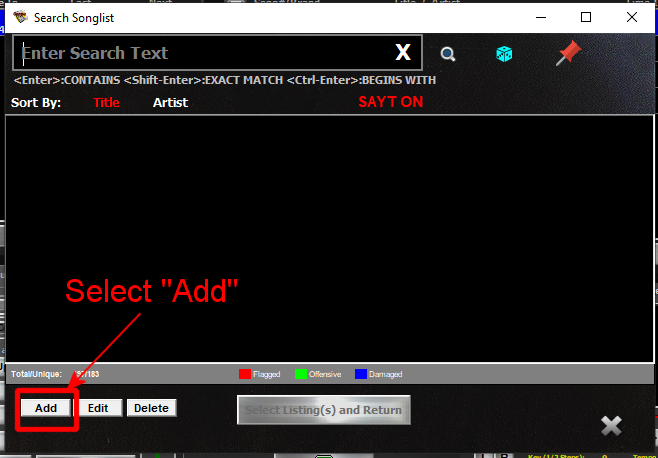
- Select the button labeled "Add" (Highlighted in RED above).
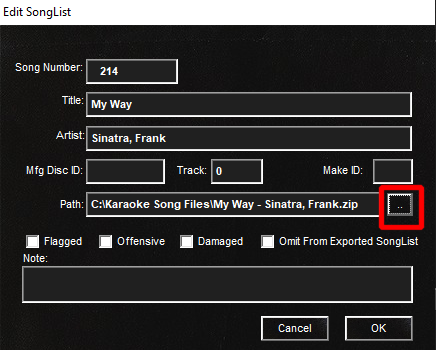
- Enter the Song Title and Artist as applicable and optionally enter the original Disc ID, Track and two-letter Brand Identifier as known and/or desired.
- Select the button identified with an ellipse (..) (Highlighted in RED above) and locate the newly acquired song file at its permanent storage location. (First step above)
- When done, select "Ok"
That's it! Repeat for each new song selection.