
If your CompuHost installation employs the earlier GEN-I USB License Key (Dongle), it is imperative that you install or reinstall CompuHost utilizing the applicable "HYBRID" installer linked below. This special HYBRID installer offers support for the GEN-I License Key (Dongle) whereby the standard installer does NOT.
- Depending on your licensed CompuHost major version, begin by downloading the applicable HYBRID installer below...
Download CompuHost V1 HYBRID Installer
Download CompuHost V2 HYBRID Installer
Download CompuHost V3 HYBRID Installer
- Once downloaded, launch the installer and step through the installation process until you encounter the following dialog...
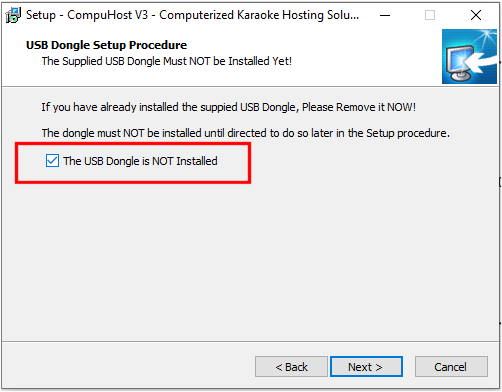
- IMPORTANT! Ensure your USB License Key (Dongle) is NOT installed, check the box to confirm and click NEXT to proceed.
NOTE: If you do not encounter the above dialog during the installation process, you are NOT utilzing the HYBRID installer! Please reference the HYBRID Installer links above and start over.
- Continue the installation by clicking NEXT until you encounter the following dialog...
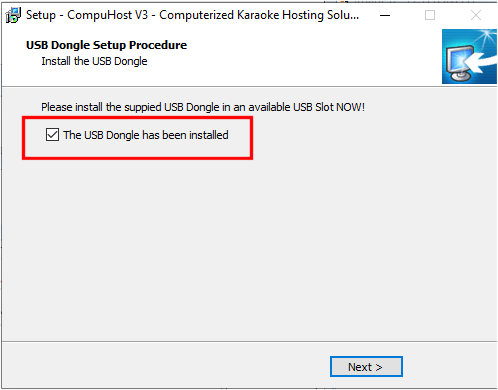
- Insert your USB License Key (Dongle) into an available USB port. Windows should immediately begin installing and initializing the necessary device drivers.
IMPORTANT! IMPORTANT! IMPORTANT! Be sure to watch for any popup error or notification messages that may appear toward the lower RIGHT of the WIndows desktop during the device driver installation and initialization process!
- After Windows has successfully installed and initialized the USB License Key (Dongle) Drivers (NO ERROR OR NOTIFICATION MESSAGES WERE ENCOUNTERED), proceed by clicking NEXT and finalize the installation.
- After installation, ensure your USB License Key (Dongle) is plugged in and launch CompuHost. CompuHost will seek out your valid USB License Key and if found launch directly into the fully licensed mode (no limitations).
IF COMPUHOST FAILS TO LOCATE YOUR USB LICENSE KEY ON STARTUP, AND INSTEAD LAUNCHES INTO EVALUATION MODE...
There's TWO possible causes...
- The USB License Key (Dongle) may be defective and/or unresponsive. If so, please contact us at sales@invicion.com and we'll be happy to assist you with returning the License Key to us for a FREE Gen-II (Dongle-less) License replacement.
- The necessary USB License Key Device Drivers may not have successfully installed and initialized as required, and thus the License Key remains unavailable to CompuHost.
To confirm the device drivers are properly installed and initialized, launch the WIndows Device Manager and verify the "USB Key -> USB Dongle - Software Protection Device" is listed within the installed devices (see image below).
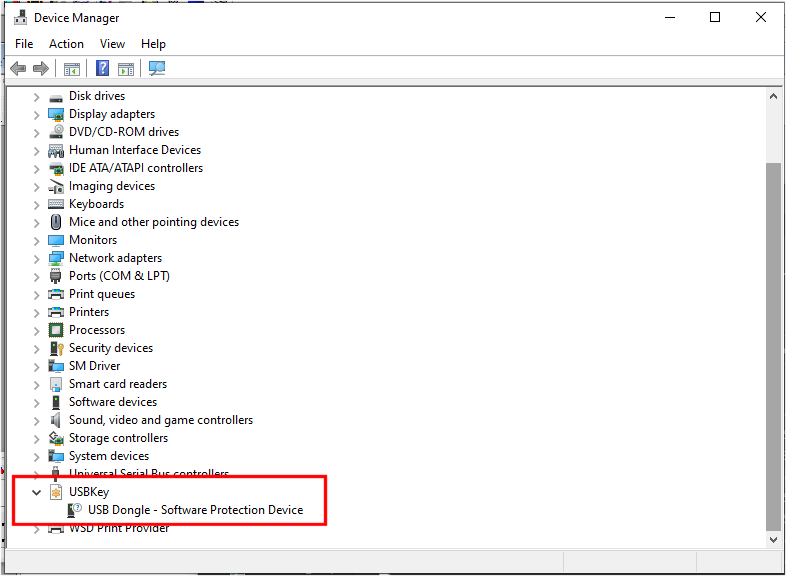
If the USBkey in NOT listed, either the USB License Key is defective (see cause #1) or the device drivers failed to install and initialize during the CompuHost installation process, possibly the result of an errant or overly aggressive System Protection Utility (Virus scanner/protector, Registry Blocker etc.) blocking or preventing installation of the drivers. You may wish to try fully disabling ALL such System Protection Utilities and retry the installation.
We hope this helps.