
At times, you may wish to add individual song selections to your CompuHost Songbase, "on the fly", such as cataloging newly downloaded selections while a show is ongoing.
To add individual selections...
1. Click the "Song Search & Drag" button found in the Tool Bar to open the Song Search Dialog.
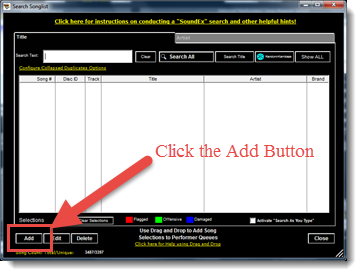
2. Click the "Add" button found in the lower left of the dialog.
3. The "Add/Edit Song Selection" dialog will appear.
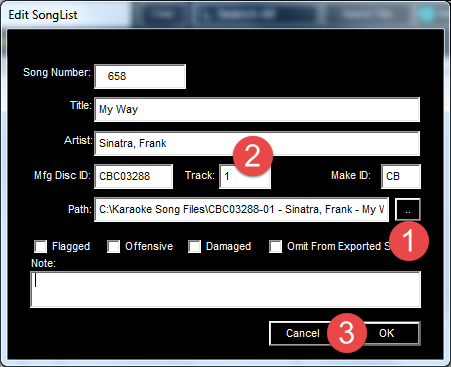
4. Click the "Ellipse" button (1) to locate the new song file.
5. Enter the cataloging information (Song Title, Artist etc.) into the applicable fields (2).
6. Finish up by clicking the "OK" button (3).
That's it!